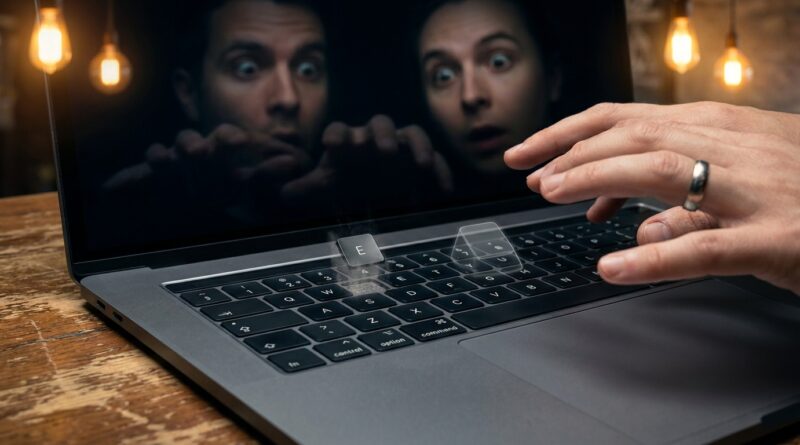
From Viral ‘Keyboard Glitch’ Clips To Real-World Miracles: Build One Everyday Tech Sleight That Looks Like A Software Bug In Real Life
You can feel the problem straight away. People spend hours watching TikToks where keyboard keys pop off, icons blink out, and whole screens seem to “bug” for a split second. Then they see live magic and the reaction is flatter than it should be, because their brain is now comparing your double lift to a fake software glitch clip. That is frustrating, especially if you do not want to spend months on finger-breaking technique or throw money at another gimmick that works once and lives in a drawer. The good news is you do not need a full prop build to create that modern, clean, “my brain says that should only happen on a screen” moment. You need one believable everyday tech sleight. My pick is simple. Make a single keyboard key seem to slide, vanish, or jump positions on a real device, using timing, touch, and framing so it reads like a real-world bug instead of a puzzle.
⚡ In a Hurry? Key Takeaways
- Best approach: build one “keyboard glitch” moment around a removable keycap or key-shaped object, then present it as a familiar tech failure.
- Start with a single vanish or position-jump, not a full routine. The cleaner the effect, the more it feels like a bug.
- Use old or spare hardware only. Do not pry keys off someone else’s laptop or anything expensive and fragile.
Why this style of magic hits harder right now
Audiences have changed. Not completely, but enough that it matters.
A lot of people now judge “impossible” through the lens of phone clips. They are used to weird edits, fake UI effects, and tiny visual moments that look like a device having a bad day. So if you want live magic to feel current, it helps to borrow that language.
That does not mean doing fake app tricks. It means creating a physical moment that resembles a digital glitch.
The sweet spot is this. It should look accidental for a split second, impossible the next second, and obvious only in hindsight. That is exactly how good glitch clips feel.
The one everyday tech sleight to build
The “wandering key”
The core idea is simple. A key from a keyboard appears to be in one place, then it is gone, or it appears to have shifted to a nearby spot. To the audience, it reads like the keyboard itself just misbehaved.
You are not trying to do a stage illusion here. You are creating a tiny, believable software-bug-looking event in the real world.
This works because people already have a mental model for it. They have seen keys vanish in viral videos. They have seen touch interfaces lag, jump, and redraw in the wrong place. So when a physical key seems to “desync” from where it should be, their brain reaches for the same explanation.
What you actually need
Keep it cheap and boring. That is a compliment.
- An old external keyboard, ideally one you do not mind modifying a little
- One loose keycap that matches the board
- A duplicate keycap if possible, though not required
- Low-tack adhesive wax, magician’s wax, or a tiny removable dot
- Good audience angle control and a reason to point at the keyboard
A detached external keyboard is better than a laptop. It is safer, sturdier, and less likely to make you look reckless. Also, if something bends or snaps, you are out twenty bucks, not your daily machine.
How the effect should look
You point to a key. Let’s say the “A” key.
You tap around it and mention how weird modern devices can get when input goes wrong. Maybe you say, “You know when a key feels like it moved, but you know that makes no sense?”
You brush your thumb over the row. The “A” key is suddenly missing. Or better yet, it now appears one position off, where the eye does not expect it.
Do not overdo it. One clean change gets the best reaction.
If you want a kicker, you can reproduce the key from under your watch, from the back of the phone, or stuck to a fingertip as if the keyboard “threw” it.
Why this works better than many gadget tricks
It feels native to modern life
People touch keyboards, phones, and screens all day. A playing card is neutral. A keyboard glitch is personal. It belongs to the same category as the stuff annoying them at work.
It is visually small, which helps
Big props can feel like props. Tiny object changes on common tech often feel more real because they happen in a space the audience already trusts.
It gives you a reason for the magic
Instead of “pick a card,” you have a premise people understand in one sentence. “Let me show you the weirdest keyboard bug you’ll ever see.” That is enough.
How to structure the sleight
1. Establish the normal state
Do not rush. Show the keyboard casually. Let them clock the key layout without announcing, “Please memorize every key.” You want familiarity, not suspicion.
2. Use a believable gesture
Your move should look like something a person would naturally do to a glitchy keyboard. Tapping. Pressing. Brushing dust away. Trying the key again. All of those actions give cover.
3. Make the change happen on the off-beat
The best moment is not when all eyes are burning into your fingers. It is when they think the important thing is your line, your complaint about buggy devices, or the sound of the key click.
4. Pause and let them discover it
This is important. If you instantly announce the effect, it can feel like a stunt. If they notice the missing or shifted key a half-second before you mention it, it lands as a real glitch.
5. End before it becomes an inspection contest
Modern magic often dies because the performer keeps proving. Do the moment. Get the reaction. Move on.
Presentation matters more than the move
You do not need to say “magic trick.” In fact, it is stronger if you do not.
Frame it like a weird thing that happens around you with devices. A harmless curse. A broken sense of touch. A joke about software updates. Anything that lets the audience file the moment under “strange” before they file it under “trick.”
Good lines are short:
- “Watch this. It’s like the keyboard loses sync with reality.”
- “This is what my laptop thinks autocorrect should look like.”
- “You ever press a key so hard the computer just gives up?”
Bad lines are long explanations about quantum computing, coding, or hacker jargon. Nobody needs that.
Practice tips that actually help
Work in phone-camera view first
Set your phone on a table and record the effect from a spectator’s angle. This shows you two useful things. First, whether the change reads cleanly. Second, whether your hands are doing “magic hands,” which is the fastest way to make a tech effect look fake.
Trim unnecessary finger movement
If two fingers can do the job, do not use five. Small object magic looks best when your hands seem almost lazy.
Rehearse the pause
Most people practice the secret action and ignore the reveal beat. The reveal beat is the whole point.
Common mistakes
- Using a valuable laptop keyboard. Just no.
- Making the effect too complicated. One missing key is enough.
- Talking too much before the moment happens.
- Choosing angles you cannot protect in the real world.
- Turning a glitch effect into a challenge puzzle.
How to make it feel less like a prop trick
The danger with any tech-themed effect is that it can feel like a novelty toy. You avoid that by keeping the conditions ordinary.
Use a real desk. A real keyboard. A real reason to have it there. Maybe you are sitting in a cafe with a tablet and compact keyboard. Maybe you are at a co-working space. Maybe you are at home showing friends something weird.
If the object fits the environment, the effect gains credibility for free.
Can you do this without a special keyboard?
Yes, but the trade-off is control.
You can build a similar moment with a loose keycap, a phone case, or even a printed key sticker that appears to “slide” from one place to another. That makes the method easier, but the illusion can look less pure.
If your goal is the strongest keyboard glitch magic trick sleight of hand moment, a dedicated practice keyboard is worth it.
Best uses for this in the real world
As an opener
Great choice. It is short, current, and easy to understand.
As a social media to live bridge
This is where it shines. People who know glitch clips online will instantly get the vibe, but now they are seeing it happen live.
As a throwaway miracle
Also strong. You do not have to turn it into a five-minute act. Sometimes one impossible beat is enough.
Safety and practicality notes
Use old hardware. Avoid sharp tools in performance. Test any removable adhesive so you do not leave residue on keys or fingers. And never ask to borrow someone’s expensive laptop for this. That is not brave. That is a good way to buy them a new keyboard.
At a Glance: Comparison
| Feature/Aspect | Details | Verdict |
|---|---|---|
| Visual impact | A missing or shifted key reads fast and feels like a real glitch people have seen online. | Excellent for modern audiences |
| Difficulty | Moderate. More about timing, angle, and natural handling than hard finger skill. | Very learnable |
| Cost and setup | Cheap if you use an old external keyboard and one or two spare keycaps. | High value, low risk |
Conclusion
You do not need to out-edit TikTok. You just need to understand what people now count as impossible. Right now, that often means tiny, clean, tech-flavored moments that look like reality briefly behaved like software. A focused keyboard glitch magic trick sleight of hand gives you exactly that. It lets working magicians and serious hobbyists meet audiences where their eyes already are, on weird input bugs, vanishing keys, and things that seem to jump one slot to the left for no good reason. Better still, it does not force you into an endless cycle of buying downloads and gimmicks. It asks you to take a normal sleight mindset and apply it to devices people use every day. That is a smart shift. It keeps live magic feeling current, surprising, and much harder to shrug off as just another old trick wearing new clothes.